The Compression of High-End Web Design
The traditional barriers to entry for premium, high-converting product pages—specifically those utilizing 3D “scrollytelling” common in Apple-tier marketing—are dissolving. Historically, these interfaces required weeks of WebGL development, custom GSAP animations, and high-budget product photography. A new workflow demonstrates that these high-margin assets can now be engineered in under ten minutes. By orchestrating a stack of agentic IDEs and advanced video diffusion models, developers are moving from raw concepts to hosted 3D experiences with minimal manual overhead.
The Modern Tech Stack for 3D Product Sites
The execution of this strategy relies on the strategic integration of several cutting-edge tools. Rather than manual coding, the developer acts as a systems orchestrator.
- Visual Engine: Google Whisk (Labs) and Freepik Pikaso.
- Animation Logic: Kling 2.5 (Video Diffusion).
- Development Environment: Google Antigravity (Agentic IDE).
- Framework: Next.js 14+, Tailwind CSS, and Framer Motion.
- Deployment: Netlify.
Phase 1: High-Fidelity Asset Generation
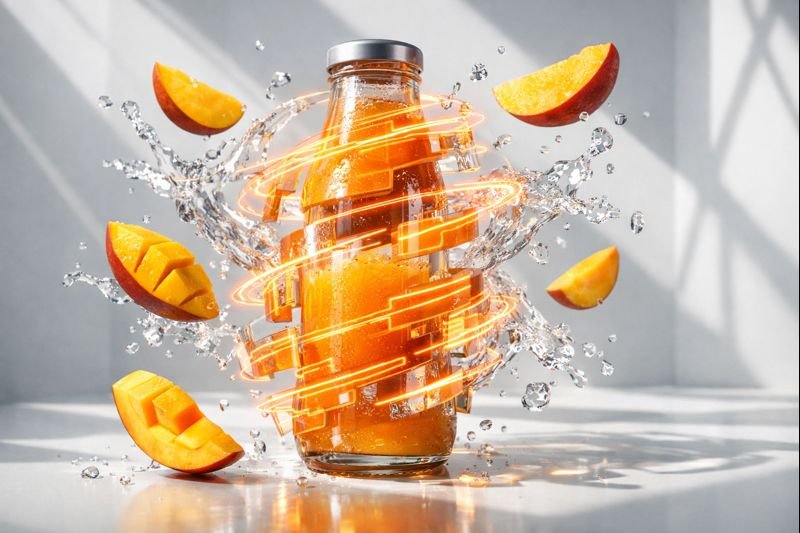
A premium landing page begins with subject acquisition. The process initiates by selecting a high-quality reference image of the product (e.g., a commercial beverage bottle). This image is fed into Google Whisk or Freepik Spaces to create a cinematic product assembly.
The Prompting Logic:
The visual prompts must be extremely dense to capture the “Commercial 4K” aesthetic. A successful subject prompt follows this structure:
- Subject: A dynamic, textured explosion of ingredients (e.g., mango slices) frozen in time.
- Composition: Extreme macro, high-speed commercial food photography.
- Key Elements: Thick ribbons of glossy puree swirling richly; crystal-clear juice droplets floating in mid-air.
- Lighting: Dramatic “Golden Hour” backlighting and side-lighting.
- Detailing: 8K resolution, ultra-sharp focus on central elements with a subtle fall-off at the edges.
Phase 2: Kinetic Design via Video Diffusion
To achieve the scrollytelling effect where the product “assembles” or “explodes” as the user scrolls, the static image must be turned into a kinetic sequence. The workflow utilizes Kling 2.5 within a Pikaso space.
- Frame Setup: Generate a “Start Frame” (a blank, high-quality vibrant gradient background) and an “End Frame” (the completed product assembly image generated in Phase 1).
- Model Configuration: Set the generation to 10 seconds at 1080p.
- The Video Prompt: Direct the AI to create a “smooth cinematic product assembly” where ingredients converge into the center of the frame from nothing, forming the product.
Phase 3: Scrollytelling Asset Extraction
Once the 10-second 4K video is rendered, it must be converted into a format controllable by scroll input.
- Navigate to Ezgif or a similar JPG sequence converter.
- Extract the video frames at 25 FPS.
- This creates a sequence of approximately 250 high-definition images.
- Store these images in a dedicated folder (e.g., /public/images/mango-sequence).
Phase 4: Agentic Coding with Google Antigravity
The transition from assets to a functional web application is handled by Google Antigravity, an agentic development platform that bypasses traditional manual coding.
The One-Shot System Prompt:
The orchestrator feeds a comprehensive “One-Shot” prompt into the Antigravity agent. The prompt defines the role (“World-class Front-end Architect”), the objective (“Build a production-ready single-page scrollytelling site”), and the technical specifications:
- Framework: Next.js (App Router), TypeScript.
- Animation: Framer Motion (for page transitions) + HTML5 Canvas (for rendering the image sequence).
- Interactivity: Scroll-based playback where the current scroll position maps to a specific index in the image sequence folder.
The Antigravity agent proceeds to scaffold the project, configure Tailwind CSS, and write the custom React hooks necessary to track scroll position and update the Canvas frames in real-time. This appears to be a superior approach to video playback, as it allows for pixel-perfect frame control and better performance on mobile devices.
Phase 5: Deployment and Final Hosting
The build process is finalized by executing npm run build within the Antigravity terminal. This generates a static out folder.
- Navigate to Netlify.
- Select “Deploy Manually.”
- Drag and drop the project folder directly into the Netlify interface.
- The application is instantly assigned a temporary URL (e.g., lighthearted-cookies-netlify.app), ready for production testing or client hand-off.
Strategic Observations
While this workflow is highly automated, success is contingent on the orchestrator’s ability to provide high-fidelity visual prompts. Mid-tier models may struggle with fluid dynamics (like splashing juice), making Kling 2.5 a critical component for its superior understanding of physics. For agencies, this workflow reduces the cost of 3D-style landing pages from thousands of dollars in billable hours to a fraction of the time, making premium design accessible at scale